Frequent Numbers
Overview
The Frequent Numbers report shows a top-ranking list of the numbers that you call, or are called by, most frequently. By highlighting your most frequently-called destinations, the report can help you to determine if private circuits to your commonly-called destinations would be beneficial; it can also help you negotiate call rates with your network provider.
Running the report
Click on the Reports tab and select Frequent Numbers from the left-hand pane. The screen displaying the parameters of the report will appear, where you can configure the entity, period, filters, options and format of the report.
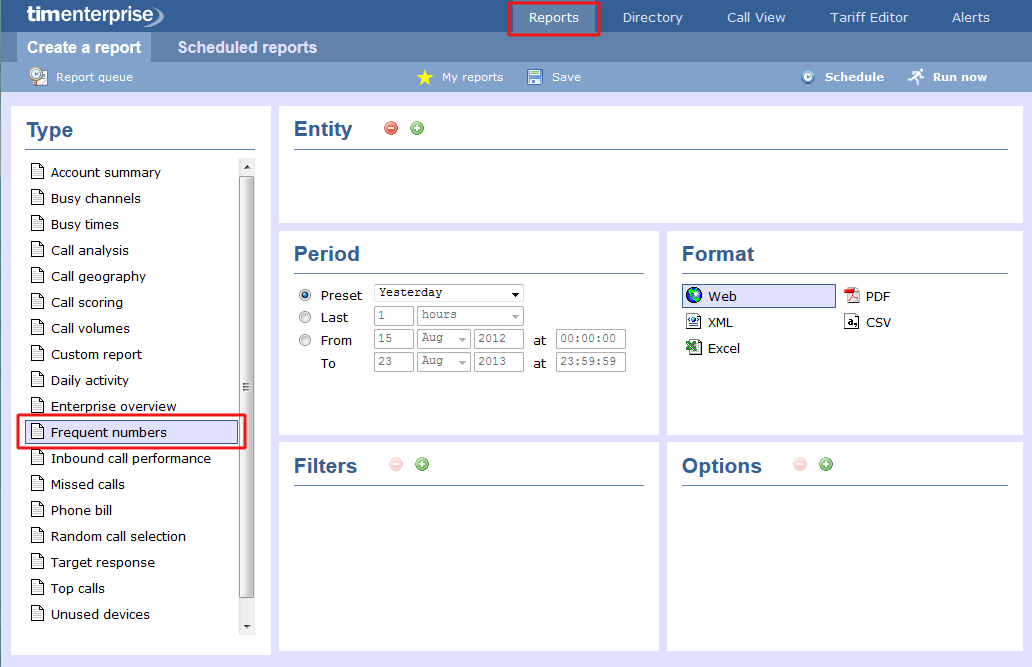
For more information about parameters, see the Report parameters section.
Creating the report
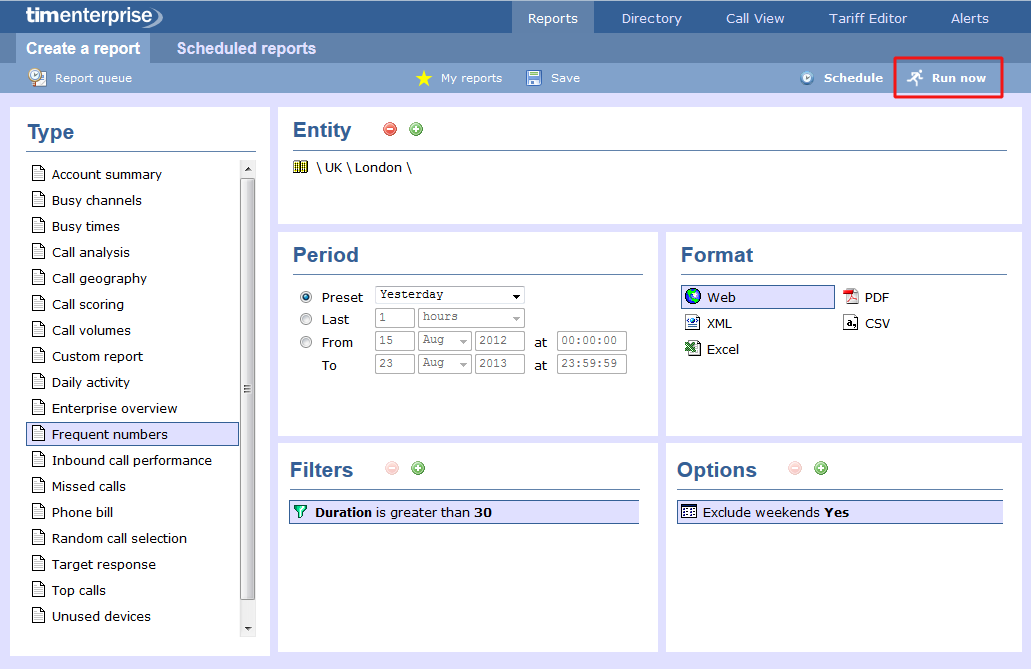
When you have configured the report's parameters, click on the Run now button to run the report immediately; alternatively, you can save the report's definition or schedule the report for future delivery.
Results
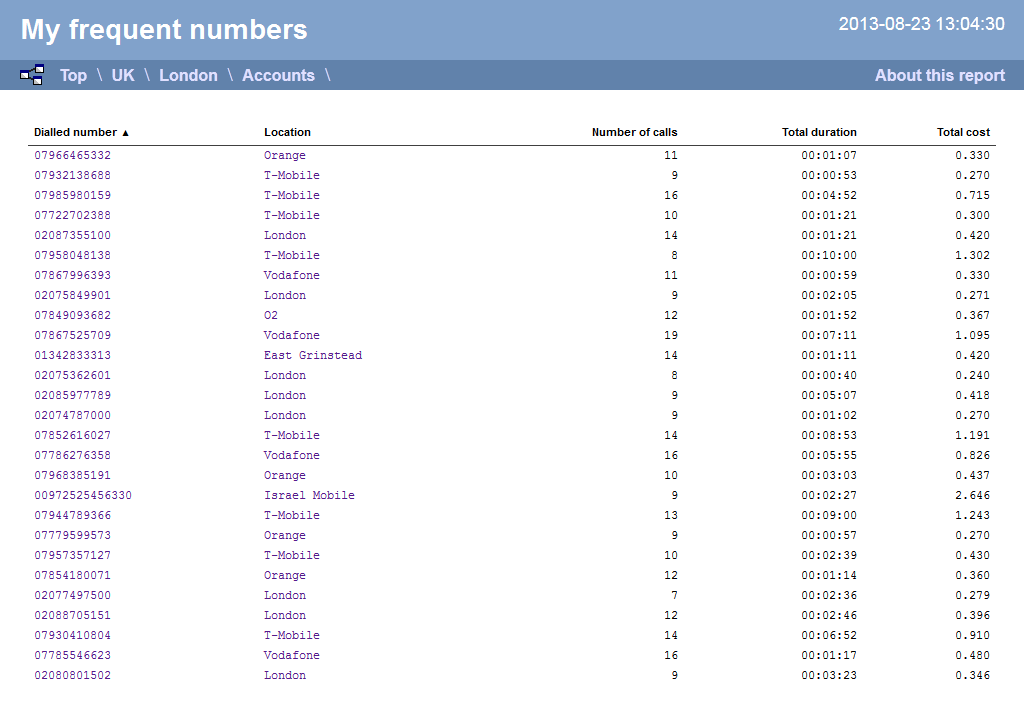
Below is an example of this report's output in Web format. By clicking on the About this report link in the top-right corner of the page, you can review any filters and options that have been applied to the report.
-629a088abebd54687ebda0c259fe102c.png)
As with all reports produced by TIM Enterprise each page of the report includes the following information:
- the report's title
- the date and time that the report was generated
- the name of the report, if applicable
The Web format is the most interactive of all formats: all column headers are click-sortable and most graphical and tabular elements can be drilled down into, allowing deeper analysis of your results. By clicking on the About this report link in the top-right corner of the page, you can review any filters and options that have been applied to the report.
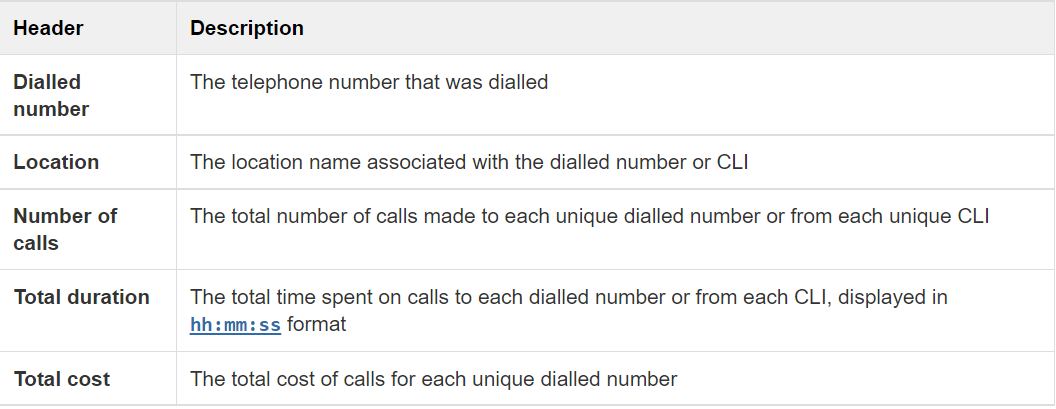
The body of the report contains a table showing a summary of each frequently dialled number or CLI along with their associated destinations. The column headers of the table are described below:
All dialled numbers, CLIs and locations in the table are shown as hyperlinks; clicking on any of them displays an itemised list of calls to/from each one.
To modify your report to cover a larger organisational scope, click on an element of the breadcrumb as shown below:
